
Registration Guide
Step 1: Sign Up & Set Up Your Profile
Create an account and navigate to your profile section.

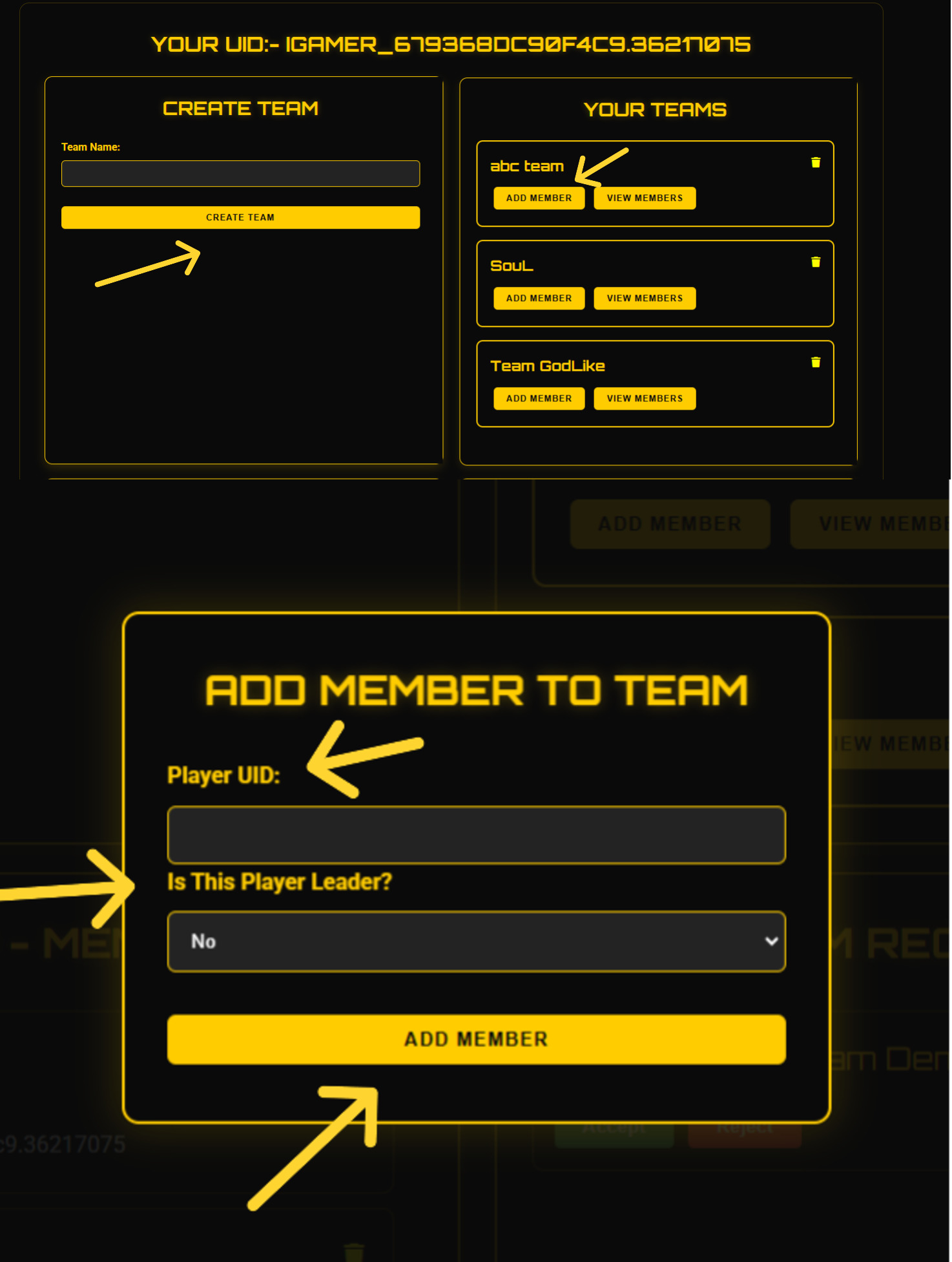
Step 2: Create a Team & Add Players
Set up your team by entering a team name. Add yourself using your unique ID and invite team members with their unique IDs.
Invited players will receive a request to join (except the leader).
Step 3: Players Accept & Confirm Team
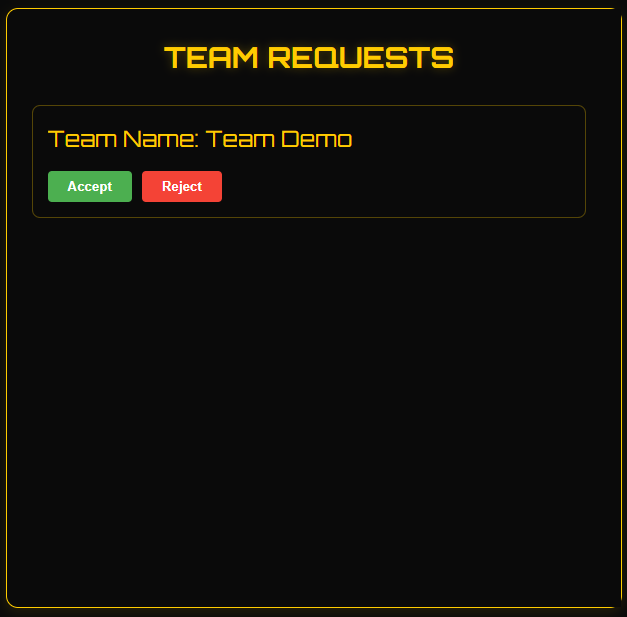
All invited players must click "Accept" to officially join the team. Until then, they will only be listed but not joined.
Step 4: Register for the Tournament
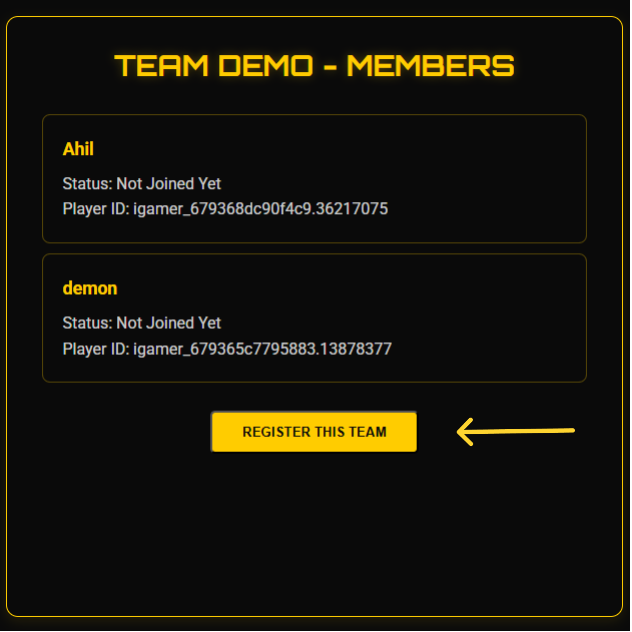
Find the tournament you want to join, click "Register Now," select your team, and confirm registration.
Step 5: Upload Payment Confirmation
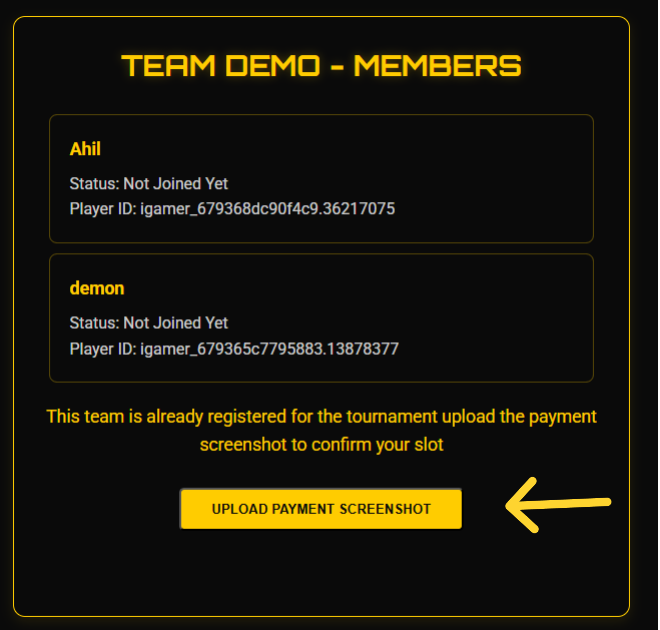
After completing registration, upload a screenshot of your tournament entry fee payment as proof to confirm your slot.
Important Note for Solo Players
If you're participating solo, you don't need to create a team. Simply register for the tournament, and our team will assign you random teammates.
Note: Players will be assigned randomly by our team.